Recreate the photos you love
Saw a photo you love? Recreate it at the same spot, even if the person holding the phone can't take photos.
Download on the App StoreFree on iPhone. No sign-up needed.
 On a computer? Scan with your iPhone camera to download.
Pick a reference photo and ShotRadar guides whoever holds the phone like a parking sensor: an outline shows where you should stand, and arrows and beeps tell them where to step, how low to crouch and which way to tilt. When everything lines up, it takes the shot.
How it works
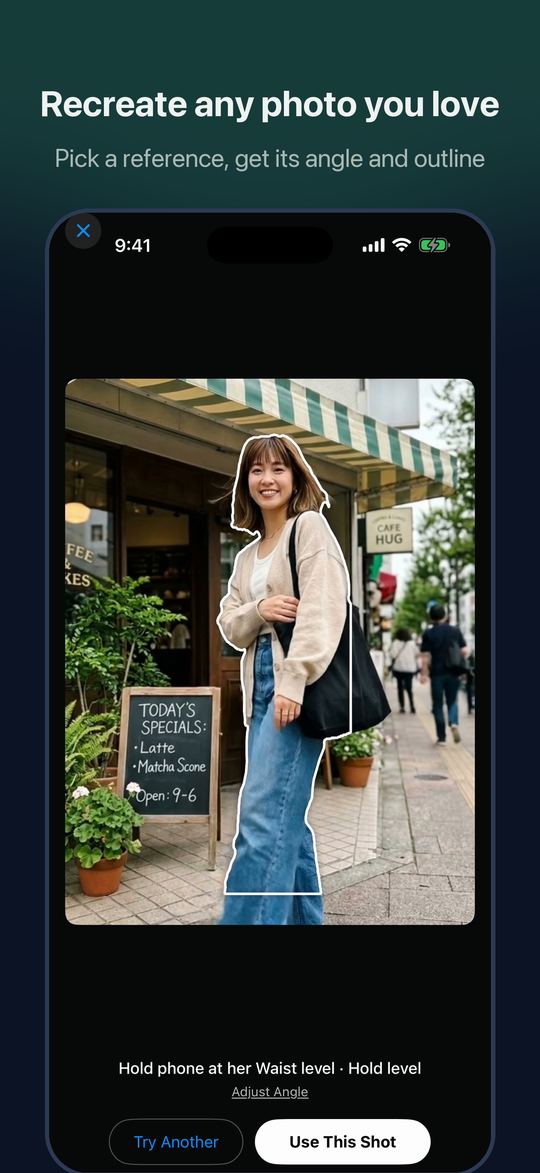 Recreate any photo you lovePick a reference, get its angle and outline
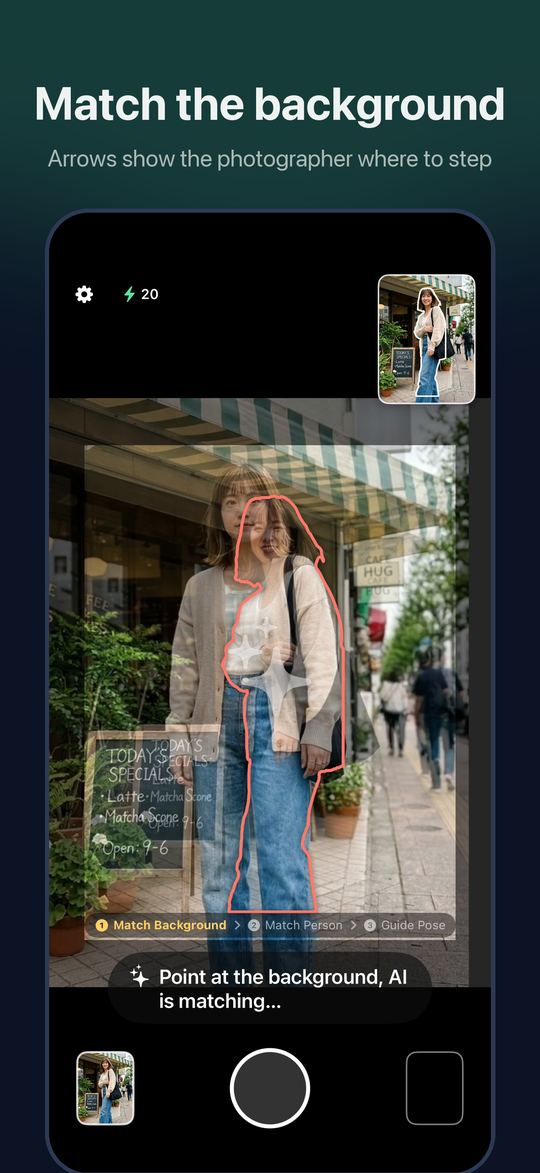 Match the backgroundArrows show the photographer where to step
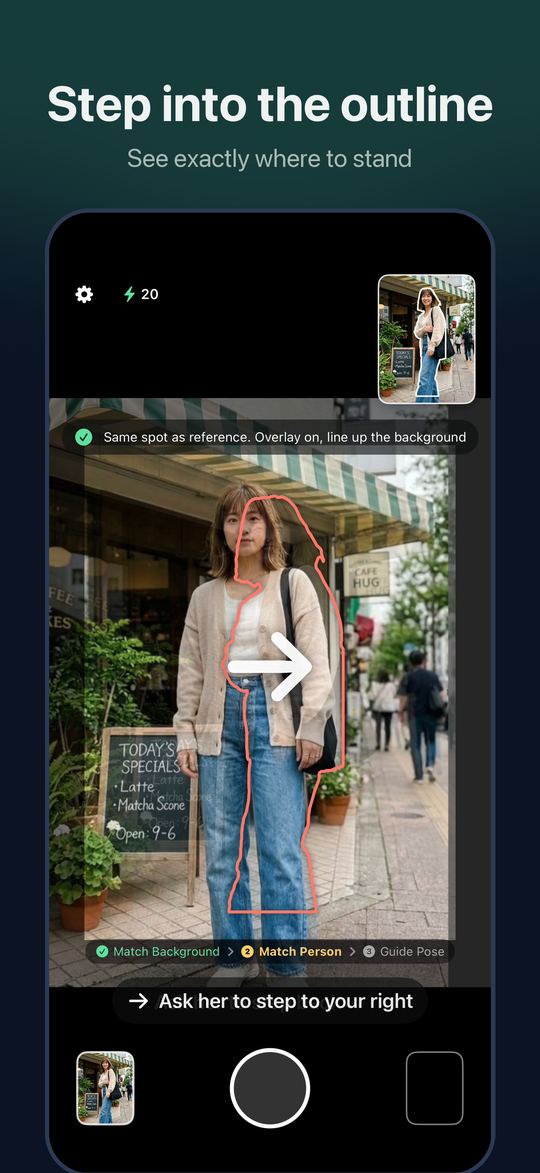 Step into the outlineSee exactly where to stand
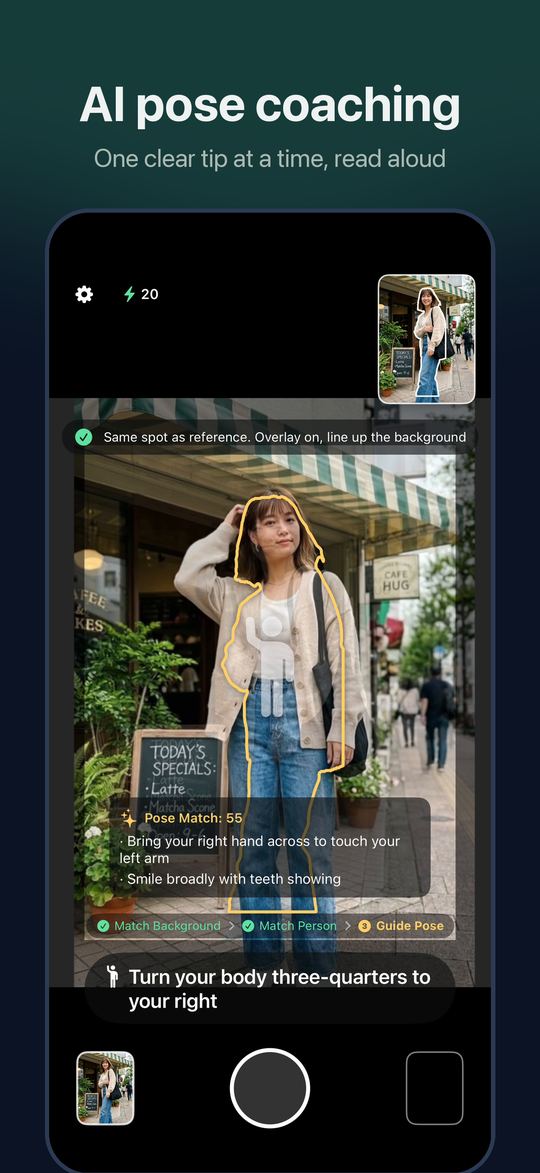 AI pose coachingOne clear tip at a time, read aloud
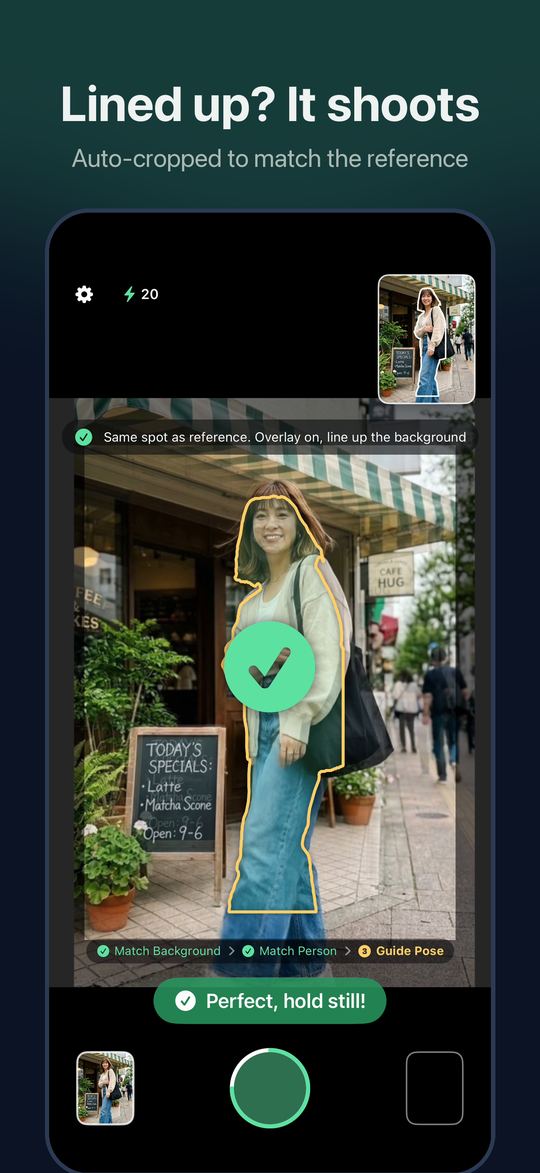 Lined up? It shootsAuto-cropped to match the reference
What you get
- Recreate a reference photoPick one from your photos or paste a web link. It recovers the camera angle and the person's outline, then guides you through the background, where to stand and the pose.
- No reference? Snap the sceneAI scores the background, suggests shots and makes a preview image, so you can see the result before you shoot.
- Live guidanceOutline, arrows and beeps run on your phone. The photos you take are saved only to your own library.
- Free to startLive guidance is free. New users get 20 credits and their first AI preview free, and credits never expire.
Questions
Is ShotRadar free?
Live guidance (outline, arrows and beeps) is free. AI features use credits: new users get 20 credits and their first AI preview free, and if you have fewer than 6 credits you are topped up to 6 once a day. Credit packs never expire.
Can I use any photo as a reference?
Yes. Pick one from your photos or paste a web link. To recreate it, go to the same place, so the background can be lined up.
Does the person taking the photo need any skills?
No. They just follow the arrows and beeps until the outline turns green, and the photo is taken automatically.
What happens to my photos?
The photos you take are saved only to your own photo library. AI features are used only after you agree; they send the scene, the reference and a few viewfinder frames to our server and Google Gemini to get the result, and our server does not keep them.
Is there an Android version?
Not yet. ShotRadar is available for iPhone.